Accounting and Inventory Management Software for Small Business Owners

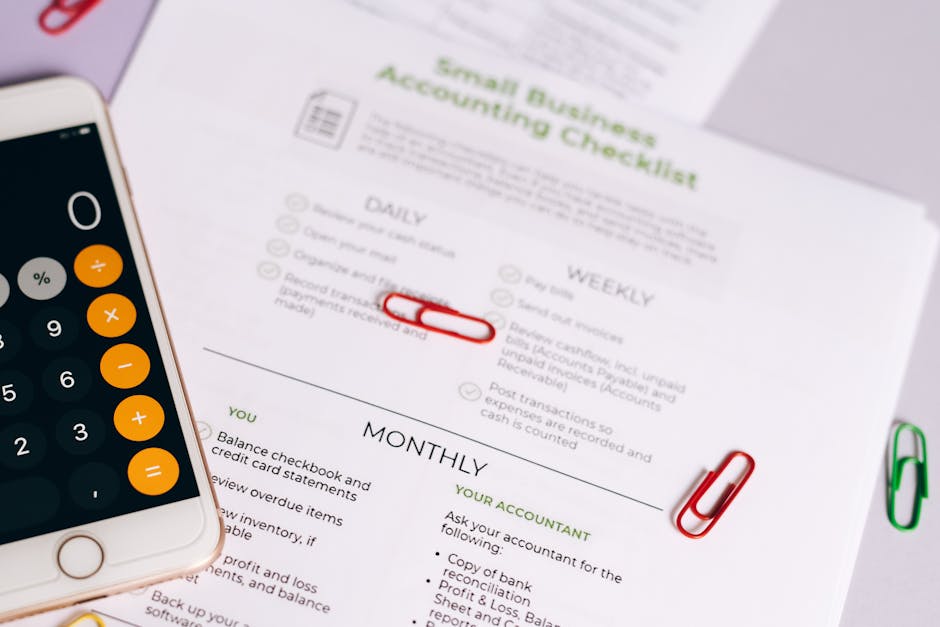
Picture this: it’s Friday afternoon, you’re scrambling to fill a customer order, but you’re not sure if you have enough widgets in stock. At the same time, you’re staring at a messy spreadsheet trying to figure out your monthly expenses. Sound familiar? You’re not alone. This juggling act between tracking money and managing products is the daily reality for countless small business owners.
The good news? You don’t have to choose between financial clarity and knowing what’s on your shelves anymore. Modern accounting and inventory management software for small business combines these critical functions into a single, powerful system. It’s the secret weapon that transforms chaos into control, giving you back your time and your peace of mind. In this guide, we’ll walk through everything you need to know to find the right solution—so you can focus on growing your business instead of wrestling with spreadsheets.
Key Takeaways for Busy Business Owners
- Integrated software saves 8-12 hours per week by eliminating manual data entry and reconciling financial and stock records automatically.
- Look for systems with real-time inventory tracking to prevent overselling and reduce stockouts by up to 35%.
- The best platforms scale with you, offering different pricing tiers that match your business size and complexity.
- Cloud-based solutions provide anywhere access and automatic backups, protecting your data from local hardware failures.
- Most modern systems integrate directly with your ecommerce platform, payment processors, and bank accounts, creating a seamless workflow.
- Proper implementation can increase inventory turnover rates by 20-30%, freeing up cash that was previously tied up in excess stock.
- Don’t overlook mobile functionality—being able to check stock levels or create invoices from your phone is a game-changer for on-the-go business owners.
Why Integrated Systems Beat Separate Tools
Remember when you tried to sync your inventory spreadsheet with your accounting software? The late nights, the duplicate entries, the inevitable mistakes? That’s the exact problem integrated software solves. When your sales, purchases, and stock levels automatically update your financial records, you’re not just saving time—you’re creating a single source of truth for your entire operation.
The Financial-Physical Connection
Every item that moves through your business has both a physical presence (on your shelf) and a financial impact (on your balance sheet). When someone buys a product, three things happen simultaneously: your inventory decreases, your revenue increases, and your cost of goods sold is recorded. Separate systems force you to update each of these manually. Integrated software does it all at once, with perfect accuracy.
Think about it this way: if you sell 10 units of a product, your inventory count should drop by 10, and your accounting should reflect the revenue from those sales. With separate systems, you’re doing this update twice. With integrated small business inventory and accounting software, it happens automatically. That means no more mismatched numbers, no more weekend reconciliation sessions, and no more uncertainty about whether your financial reports actually reflect reality.
The Hidden Costs of Disconnected Systems
Beyond the time wasted, disconnected systems create real financial risks. You might think you have product available when you’ve actually sold out, leading to backorders and disappointed customers. Your accounting might show healthy profits while your warehouse is overflowing with dead stock that’s tying up cash. The disconnect between what you think you know and what’s actually happening can quietly erode your margins.
Editorial Insight: “The most common mistake I see small businesses make is treating inventory and accounting as separate functions. They’re two sides of the same coin. When you track them separately, you’re guaranteed to have discrepancies. The shift to integrated systems isn’t just about convenience—it’s about financial accuracy and business intelligence that you simply can’t achieve with manual processes.” — Morgan Lee, Small Business Operations Consultant
Essential Features Your Software Must Have
Not all accounting and inventory management software is created equal. As you evaluate options, these are the non-negotiable features that separate effective tools from basic ones.






Core Accounting Capabilities
At minimum, your software should handle invoicing, expense tracking, financial reporting, and bank reconciliation. But let’s think beyond the basics. Can it handle sales tax calculations for different jurisdictions if you sell online? Does it support multiple payment methods? Can you create recurring invoices for subscription services or regular clients? These capabilities determine whether the software will grow with your business or become a limitation.
Profit and loss statements should be automatic, not a monthly project. Balance sheets should update in real time as inventory moves. Cash flow projections should consider both your upcoming bills and your expected sales based on current inventory levels. When these functions work together, you’re not just recording history—you’re planning your future.
Inventory Management Essentials
Basic stock counting isn’t enough. You need software that handles SKU tracking, low stock alerts, purchase order creation, and batch/lot tracking if you deal with perishable items or serial numbers. Can you set reorder points that automatically trigger when stock dips below a certain level? Does it track inventory across multiple locations if you have a warehouse and a retail store?
Advanced features like barcode scanning, inventory forecasting based on sales trends, and supplier management take your operations to the next level. Imagine getting an alert on your phone when popular items are running low, then generating a purchase order to your supplier with two taps. That’s the efficiency modern software delivers.
Top Solutions Compared
| Name | Best For | Key Features | Price Range | Limitation |
|---|---|---|---|---|
| QuickBooks Online + TradeGecko | Established product-based businesses with complex needs | Industry-leading accounting, multi-location inventory, advanced reporting | $70-200/month | Steeper learning curve, higher cost |
| Zoho Inventory + Zoho Books | Growing businesses wanting full ecosystem integration | Seamless Zoho suite integration, good automation, affordable scaling | $20-120/month | Accounting features less robust than QuickBooks |
| FreshBooks + Dear Inventory | Service businesses that also sell products | Excellent invoicing and client management, solid inventory basics | $30-100/month | Inventory module is add-on, not fully unified |
| Wave (Free) + Inventory Management | Micro-businesses and startups on tight budgets | Completely free accounting, basic inventory tracking available | $0 + inventory add-ons | Limited integrations, basic features only |
| Xero + Unleashed | Manufacturers and wholesalers | Strong manufacturing features, Bill of Materials, landed cost tracking | $60-180/month | Interface less intuitive for beginners |
Deep Dive: Two Popular Approaches
QuickBooks Ecosystem: The Industry Standard
QuickBooks Online paired with an inventory management add-on like TradeGecko or SOS Inventory represents the premium end of the market. QuickBooks’ accounting capabilities are unmatched—bank feeds work flawlessly, reporting is comprehensive, and your accountant probably already knows how to use it. The inventory integrations sync seamlessly, updating cost of goods sold and stock values automatically with every sale.
The strength here is depth and reliability. For businesses dealing with hundreds of SKUs across multiple locations, with complex reporting needs or manufacturing processes, this combination handles complexity that would overwhelm simpler systems. The trade-off is cost and complexity—you’re looking at $70-200 monthly, and there’s a significant learning investment. But if your business has outgrown basic solutions, this might be your next logical step.
Zoho’s Integrated Suite: The Cohesive Alternative
Zoho takes a different approach: instead of connecting separate best-in-class tools, they build everything within their own ecosystem. Zoho Books (accounting) and Zoho Inventory are designed from the ground up to work together. The integration isn’t just good—it’s seamless, because they’re fundamentally part of the same system.
Where Zoho shines is in automation and workflow. You can create rules that automatically convert sales orders to invoices, update inventory, and notify your shipping department—all without manual intervention. The pricing scales gently as you grow, making it accessible for smaller businesses that anticipate expansion. The limitation is that you’re buying into the Zoho world; if you need specialized accounting features beyond what Zoho Books offers, you might find yourself wanting more.
Common Implementation Mistakes to Avoid
- Skipping the cleanup first: Implementing new software on top of messy data guarantees garbage-in-garbage-out. Take time to reconcile your current inventory counts and clean up your chart of accounts before migration.
- Underestimating training time: Your team needs to understand both why the new system matters and how to use it. Allocate at least 2-3 hours of training per user, plus follow-up support.
- Choosing based on price alone: The cheapest option often lacks critical features you’ll need within six months. Consider what you’ll require as you grow, not just what you need today.
- Ignoring mobile experience: If you or your staff are frequently away from desks, mobile functionality isn’t a luxury—it’s essential. Test the mobile app during free trials.
- Forgetting about integrations: Your software needs to talk to your ecommerce platform, payment processor, and shipping carriers. Check integration availability before committing.
- Going too complex too soon: A system with hundreds of features you don’t understand (and won’t use) creates confusion without adding value. Start with what you need, then expand as your comfort grows.
FAQs: Your Questions Answered
What’s the real cost difference between separate vs integrated systems?
At first glance, using separate free or low-cost tools seems cheaper. But when you factor in the hours spent manually syncing data, correcting errors, and dealing with discrepancies, the true cost becomes clear. Most business owners spend 8-12 hours monthly on these tasks—that’s 1-2 full workdays. At an average owner’s hourly value of $50-100, you’re looking at $400-1200 monthly in hidden labor costs. Integrated systems typically cost $40-150 monthly, meaning they often pay for themselves in recovered time alone, not even counting the value of accurate data.
How difficult is the transition from spreadsheets to software?
The transition requires an upfront investment of time, but it’s less daunting than most people fear. The key is breaking it into phases: start by getting your accounting set up and connected to your bank, then gradually add inventory items. Most systems offer import templates for your existing product lists. Many business owners find that within 30 days, they’re already more efficient than they were with spreadsheets, and by 90 days, they wonder how they ever managed without the software.
Can inventory and accounting software handle service businesses too?
Absolutely. Many businesses start as service-only then add products later (or vice versa). Look for systems that handle both well—time tracking and project management for services, alongside inventory tracking for products. This gives you flexibility as your business evolves. The integrated approach means you’re not juggling separate systems for different parts of your business, even if those parts operate quite differently.
What about businesses with very small or very large inventories?
Scale matters, but there are solutions for every size. For businesses with just 10-20 SKUs, simpler systems like Wave with basic inventory tracking or Zoho’s entry-level plans work perfectly. For enterprises with thousands of SKUs across multiple warehouses, you’ll need heavier solutions like QuickBooks Enterprise with advanced inventory modules. The sweet spot for most small businesses—50-500 SKUs—is where integrated systems provide the most dramatic efficiency gains.
How do I ensure data security with cloud-based systems?
Reputable cloud providers invest far more in security than small businesses can afford independently. Look for SOC 2 compliance, bank-level 256-bit encryption, regular security audits, and redundant data centers. Your data is typically safer in a professional cloud environment than on a local computer vulnerable to theft, damage, or ransomware. Always enable two-factor authentication and ensure you control user permissions appropriately within your team.
Should I consider industry-specific software?
If you’re in a specialized field like restaurants, automotive parts, or fashion retail, industry-specific features might be worth the trade-off of less robust general accounting. These systems understand your unique workflows—like table management for restaurants or seasonal collections for fashion. Evaluate whether the industry features save you enough time to justify potentially clunkier financial reporting. Often, a combination of general accounting software with inventory management plus specialized point-of-sale or ordering systems works best.
What happens during tax season with these systems?
This is where integrated systems truly shine. Instead of scrambling to reconcile inventory values with financial records, everything is already aligned. Your cost of goods sold calculates automatically throughout the year. Most systems generate the reports your accountant needs with a few clicks. Some even integrate directly with tax preparation software. The days of shoeboxes full of receipts and spreadsheet nightmares are replaced by organized, accurate data that makes tax time straightforward rather than stressful.
Conclusion: Your Next Step Toward Business Clarity
The right accounting and inventory management software for small business does more than track numbers—it gives you confidence. Confidence that you know exactly what you have, what you’ve sold, and what you’ve earned. Confidence that you can make decisions based on facts, not guesses. And confidence that you’re building a business on a foundation of accurate information rather than hopeful estimates.
Start by identifying your three biggest pain points. Is it stockouts? Time-consuming reconciliations? Uncertainty about profitability? Then look for solutions that specifically address those issues. Take advantage of free trials—most quality systems offer 14-30 days to test drive their features. You don’t need to implement everything at once; even moving one piece of your operation from manual to automated creates immediate benefits that build momentum for further improvements.
The journey from disjointed systems to integrated clarity might feel like a big step, but it’s one that pays dividends in time, accuracy, and peace of mind every single day thereafter. Your future self—the one who isn’t working weekends to reconcile spreadsheets—will thank you for taking it.